
Welcome, User!
Last login: N/A
Vouches Stats
Vouch Count
Loading...
Total Rating
Loading...
Bot Status
Online
New Update!
August 15, 2025, 1:37 pm
New Update for the home page design!
Dear members,
i am very happy to announce the new update to the home page design for VouchCord, the new design matches our theme, and gives a better and cleaner look to our website, thanks.
Check: https://vouchcord.com
Bot Configuration
Bot Configuration
Bot Settings
Vouch Settings
Embed Customization
Advanced Settings
Auto Emoji Reaction
Auto Moderation
If enabled, any message sent in the set vouches channel will be deleted except those sent by the bot.
Sticky Message
Vouching Slowmode
If enabled, the bot will apply a slowmode to the usage of /vouch command in the vouches channel.
Vouch Management
Import & Export
/import - imports all the vouches from a specific channels to your profile, supports embedded vouches (by taking the description), and normal messages, all imported vouches will be 5 stars rated./export - exports all your vouches from your profile to a specific channel and displays them as embeds.
Vouch List
Profile Customization
Profile Picture & Banner

Profile Settings
Color Styling
Page Background

Dimensions and Effects
15px
20px
20px
Profile Links
Display Settings
Profile Page Preset
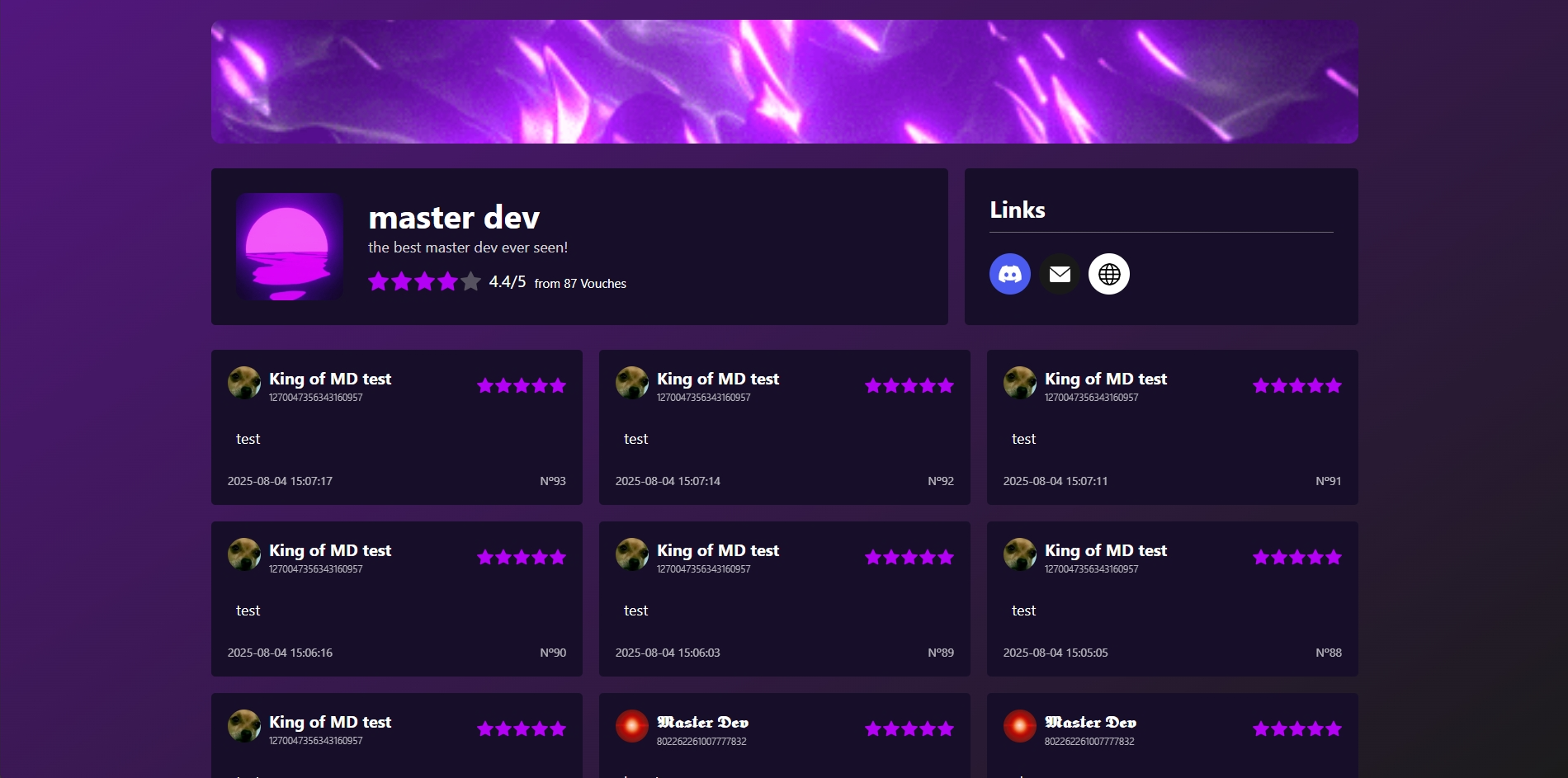
Default
Default Profile Style

Side Profile 1
Side profile with seperated Links section
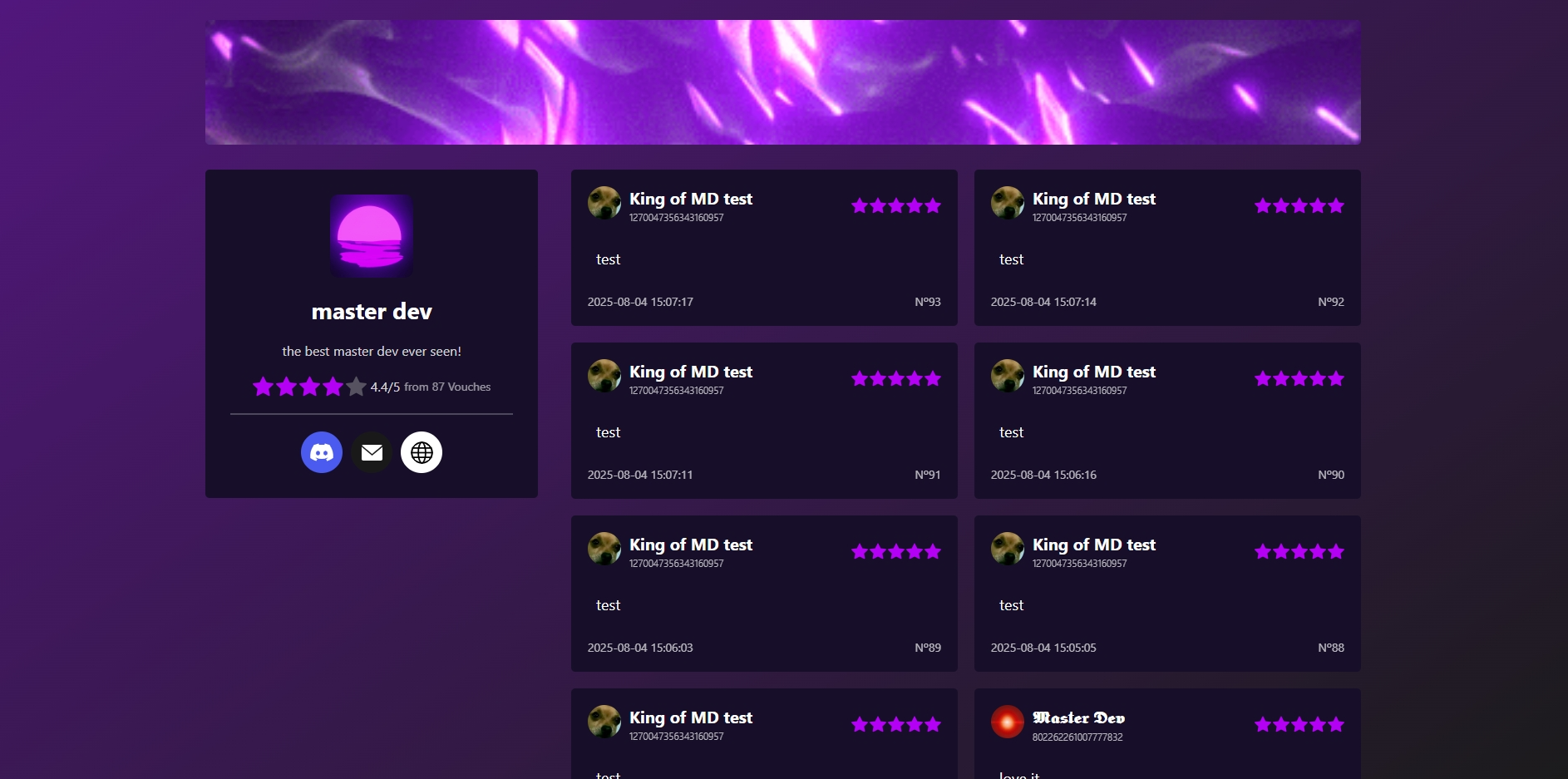
Side Profile 2
Side profile with Links combinned
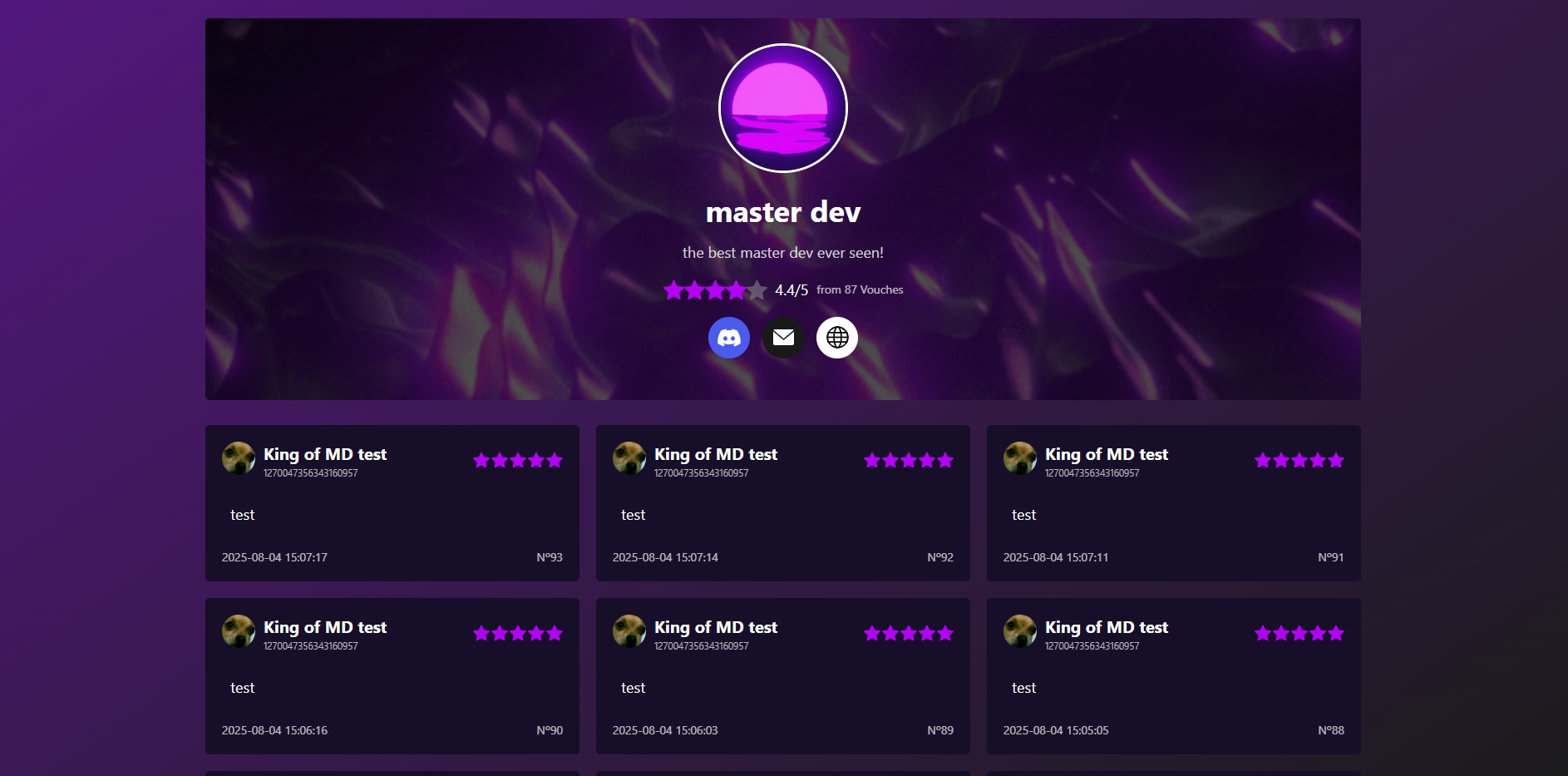
Background Banner Profile
Default with the banner as background
Blacklist
Add User to Blacklist
Blacklisted Users
Domain Connection
How to connect my custom domain?
To connect your custom domain to your profile url, you need to setup a url reddirect in your domain dns settings, bellow is a video on how to set it up in namecheap, other hosting platforms will have the same method, you can always search for the method for your domain provider (how to setup a url redirect), or you can reach the support team if needed.
Meta Data
Website Favicon

Meta Image

Meta Title
Meta Description
Embed Color

Note
incase you send the link and it shows the old meta data, which is caused by discord cashing, here is a cool trick to fix that, resend the same profile link but with an # in the end of it, for example the profile link https://vouchcord.com/example , should be sent as https://vouchcord.com/example# , after sending that, your problem is now fixed, you can resend the normal link https://vouchcord.com/example with the new meta data you just saved.
Integration
Display vouches on your website
Supports:
- Custom Coded Websites.
- Wordpress Website
- Websites built in any platfroms that provides access to editing website head and inputting custom html snippets.
Steps:
add the following code in tour website <head>
<script src="https://cdn.jsdelivr.net/npm/jquery@3.6.1/dist/jquery.min.js"></script>
<script src="https://cdn.jsdelivr.net/npm/slick-carousel@1.8.1/slick/slick.min.js"></script>
<link rel="stylesheet" href="https://vouchcord.com/api/vouches.css"/>
<script>window.slug = 'your-url'</script>
<script src="https://vouchcord.com/api/vouches.js"></script>
add the following code in the section where you want to display vouches
<div id="vouchcord-vouches-container"></div>
Support & Tickets
Q: How does Secure Vouch Storage protect my Discord vouches?
Secure Vouch Storage safeguards your Discord vouches by storing them in an encrypted database, protecting them from server deletions or issues. This ensures your testimonials remain safe and accessible anytime, giving you peace of mind.
Q: How does Anti-Scam Protection help manage my vouches?
Anti-Scam Protection allows you to blacklist unreliable users from vouching, helping you maintain a trustworthy vouch history. This simple feature ensures only credible testimonials are included.
Q: How does the Backup System restore my vouches effectively?
The Backup System lets you use a command to resend all vouch embeds to your server, restoring them instantly after issues, revamps, or disruptions. This ensures your vouch history is always recoverable and up-to-date.
Subscription
For only
$2.99 / month
Unlock the full power of VouchCord with enhanced features.
- Unlimited & Secure Vouches Storage
- Automated Vouches Import From your Server
- Easy Vouches Recovery and Backup to your Server
- Discord Custom Bot (hosted)
- Basic Website Profile Customization
- Enhanced Website Profile Customization
- Anti-Spam Protection
- Discord User Blacklist and Anti-Scam
- Sticky Message
- Auto-Moderation
- 24/7 Ticket Support
My Subscription:
Ends in
0 months, 0 days, 0 hours
Add time:
1 Month
$2.99
3 Months
+10 days free$8.99
12 Months
+30 days free$35.99
24 Months
+60 days free$69.99